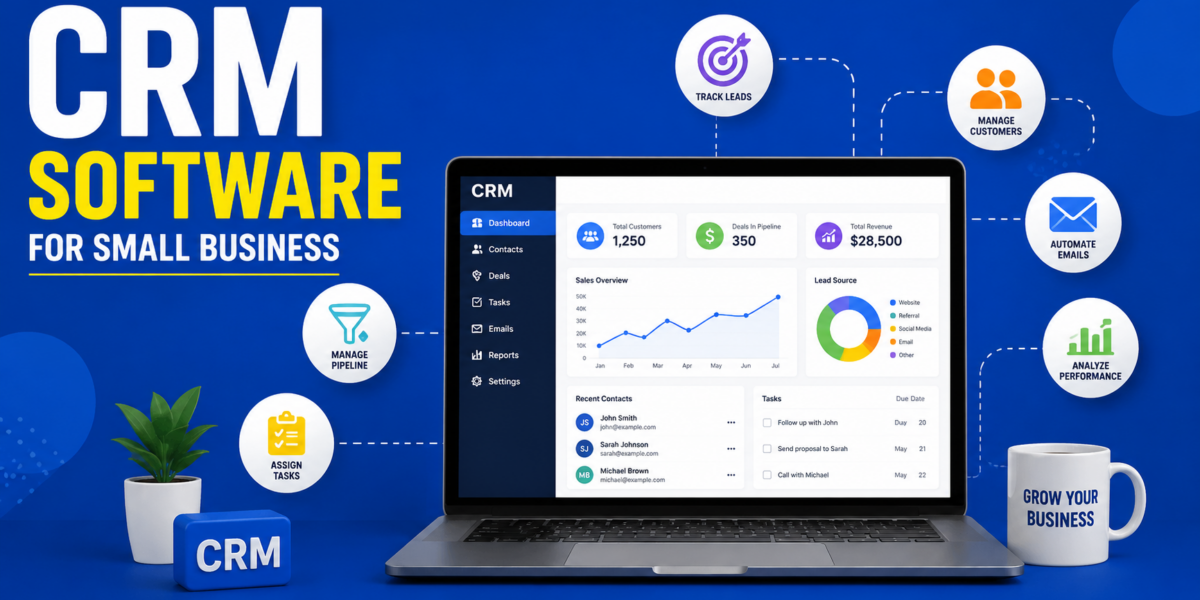
Most small businesses do not lose customers because they lack demand, they lose them because a follow up got forgotten, a lead sat untouched in an inbox, or nobody remembered what was promised on the last call. A CRM exists to close exactly that gap, giving a small team one organized place to track every contact, conversation, and deal instead of relying on memory, sticky notes, or scattered spreadsheets. Choosing the right CRM early also supports the broader marketing strategies small businesses rely on, since every campaign eventually needs somewhere for the leads it generates to actually land.
Most business owners assume every CRM works roughly the same way, but the differences between them show up fast once real customer data starts flowing in. Getting the basics right first, the kind of groundwork covered in marketing fundamentals, makes it far easier to know what a CRM actually needs to support. This guide compares 7 CRM platforms built specifically with small business needs in mind, covering what each one does best and where it tends to fall short.
HubSpot CRM
HubSpot CRM offers a genuinely usable free tier, combining contact management, deal tracking, and basic email tools in one clean interface. What makes it stand out is how naturally it connects to HubSpot’s broader marketing tools, which pairs well with a connected marketing automation setup once a business is ready to automate follow ups instead of doing them manually. Where it falls short is that the free tier gets limiting fast, and the paid tiers climb in price quickly once a business needs deeper reporting or automation.
Zoho CRM
Zoho CRM is known for strong task and pipeline management at a price that stays reasonable even as a team grows, with kanban style boards that make tracking deals feel visual rather than buried in spreadsheets. What makes it stand out is value, small businesses get a genuinely capable CRM without paying enterprise level pricing, and it connects easily with other Zoho tools a business may already use. Where it falls short is that the interface feels less polished than some competitors, and some automation features need extra setup to work the way a business expects.
Pipedrive
Pipedrive was built around one core idea, a visual sales pipeline that shows exactly where every deal sits with simple drag and drop movement between stages. What makes it stand out is clarity, sales teams that struggle with cluttered CRMs often find Pipedrive refreshingly simple to actually use every day. Where it falls short is depth outside of sales, it offers fewer built in marketing features compared to platforms like HubSpot or Zoho, so businesses wanting an all in one system may need to pair it with another tool.
Freshsales
Freshsales combines CRM functionality with built in AI powered lead scoring, helping small sales teams figure out which contacts are actually worth prioritizing first, a genuinely useful layer for any small business marketing agency guide approach that involves managing several client pipelines at once. What makes it stand out is speed to value, the interface is straightforward enough that a small team can be up and running within a day without extensive training. Where it falls short is that some of its most useful automation and AI features sit behind higher pricing tiers, which can push costs up for a growing team.
Salesforce Starter
Salesforce Starter brings a simplified version of the industry’s most recognized CRM platform to small businesses, including guided onboarding and basic marketing tools alongside sales tracking. What makes it stand out is room to grow, a business that starts here can scale into Salesforce’s more advanced tiers later without switching platforms entirely as needs change. Where it falls short is complexity, even the simplified starter version carries more of a learning curve than lighter competitors built specifically for small teams from the ground up.
Monday CRM
Monday CRM takes the visual, board based approach that monday.com is known for and applies it directly to sales and customer management, making it especially approachable for teams that are new to using a CRM at all. What makes it stand out is flexibility, boards can be customized heavily to match how a specific business actually works rather than forcing a rigid structure, useful for both consumer facing teams and B2B marketing teams managing longer sales cycles. Where it falls short is that some deeper sales specific features found in dedicated CRMs are less developed here compared to platforms built purely around sales pipelines.
OnePageCRM
OnePageCRM strips away much of the complexity found in larger platforms, focusing on a simple next action based approach that tells a user exactly who to follow up with and when. What makes it stand out is simplicity, small teams that find other CRMs overwhelming often stick with OnePageCRM specifically because it stays out of the way and keeps follow ups from slipping through the cracks. Where it falls short is scale, businesses with more complex sales processes involving multiple stages and team members may find it too basic once they outgrow the essentials.
How To Choose The Right CRM For Your Business
The table below compares these 7 platforms across the factors that matter most when narrowing down a decision, since the right CRM depends heavily on team size, budget, and how complex the sales process actually is.
| CRM | Best For | Ease Of Use | Typical Price Range |
|---|---|---|---|
| HubSpot CRM | Teams wanting marketing and sales connected | Moderate | Free to premium |
| Zoho CRM | Budget conscious teams wanting strong value | Moderate | Affordable |
| Pipedrive | Sales teams wanting visual pipeline clarity | Easy | Mid range |
| Freshsales | Teams wanting built in lead scoring | Easy | Mid range |
| Salesforce Starter | Businesses planning long term growth | Moderate to hard | Mid range |
| Monday CRM | Teams new to CRM software | Easy | Mid range |
| OnePageCRM | Small teams wanting simplicity | Easy | Affordable |
Three Business Examples
A local dry cleaning business started using Zoho CRM to track repeat customer preferences and pickup schedules, cutting down on missed appointments that used to happen when everything lived in a paper notebook.
A small ecommerce store adopted Pipedrive to manage wholesale inquiries, giving the sales team a clear visual view of which deals needed follow up instead of losing track of conversations across email threads, complementing the lead generation tools already feeding new inquiries into the pipeline.
An IT training institute used OnePageCRM to stay on top of enrollment follow ups, ensuring no prospective student inquiry sat untouched for more than a day, which directly improved their inquiry to enrollment conversion rate.
Why Businesses Choose BizBoosted To Set Up CRM Systems
Choosing the right CRM software is only the beginning, most small businesses adopt a CRM and then never fully configure the pipelines, automations, or reporting that make it genuinely useful day to day. At BizBoosted, our team sets up CRM systems around how a business actually sells, connecting it to real lead generation and affiliate marketing channels so every contact captured has somewhere organized to go, and every result can be measured properly through connected marketing analytics.
Conclusion
There is no single best CRM software for small business, only the right fit for team size, budget, and how the sales process actually works. Teams wanting simplicity tend to do well with OnePageCRM or Pipedrive, while businesses planning long term growth often prefer Zoho or Salesforce Starter. Whichever platform gets chosen, the real value only shows up once it is properly set up and consistently used, not left as another login nobody opens.
You may Read This
FAQs
What does CRM software actually do
It stores customer information, tracks conversations, and organizes the sales pipeline in one place instead of scattered notes or spreadsheets.
Which CRM is best for a very small team
HubSpot CRM or OnePageCRM, both stay simple enough for a small team without heavy setup.
Is a free CRM good enough for a small business
Often yes at the start, though most free tiers become limiting once contact volume or automation needs grow.
How long does it take to set up a CRM properly
A basic setup can be running within a day, but a fully configured pipeline with automation usually takes a couple of weeks.
Can a CRM replace a marketing tool
Not fully, a CRM manages relationships and deals, while marketing tools handle campaigns, though many platforms now blend both.
Do small businesses really need a CRM
Yes, even a very small team benefits once more than a handful of leads need consistent follow up.

1 Comment