Most dashboards are full of numbers that feel important but explain very little. Traffic went up, impressions went up, followers went up, and yet revenue barely moved. The gap between activity and actual growth is exactly where marketing analytics tools earn their place, they connect what a business is doing to what is actually converting, retaining, and paying off. With cookies disappearing, privacy rules tightening, and buyers touching five or six channels before ever converting, the old habit of glancing at page views and calling it strategy simply does not hold up anymore. Understanding search intent already shifted how content gets written, and the same shift is happening with analytics, businesses are moving from counting activity to measuring outcomes.
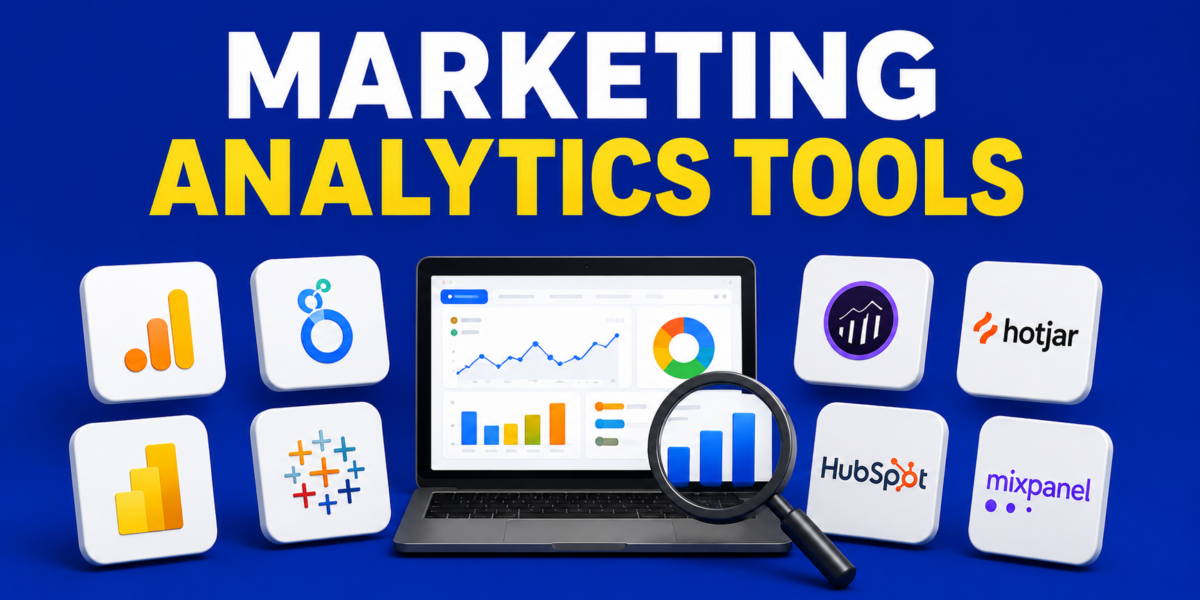
This guide compares 7 marketing analytics tools built for very different situations, from solo founders reading their first real dashboard to teams managing data across a dozen channels, and breaks down exactly where each one wins and where it quietly falls short.
Google Analytics Four
Google Analytics Four is the free, near universal starting point for understanding website behavior, tracking events, conversions, and traffic sources across a site. What it actually does well is give any business, regardless of budget, a genuine baseline view of where visitors come from and what they do once they arrive. Where it falls short is depth, the event based model behind it takes real effort to configure properly, and out of the box reports often leave marketers guessing at the story behind the numbers rather than showing it clearly.
HubSpot Marketing Hub
HubSpot Marketing Hub connects analytics directly to a CRM, meaning every click, email open, and form fill can be tied back to an actual contact rather than an anonymous session. What it actually does well is close the loop between marketing activity and real contact level outcomes, which is exactly the kind of connected system behind strong content marketing for small business that needs to prove which content actually generates leads. Where it falls short is price, the reporting features that matter most tend to sit behind the more expensive tiers.
Mixpanel
Mixpanel focuses on product and behavioral analytics, tracking exactly how users move through a website or app rather than just where traffic came from. What it actually does well is answer specific behavioral questions, which features drive retention, where users drop off, what actions predict a customer sticking around. Where it falls short is scope, it is built for understanding in product behavior, not for pulling together a full picture of paid, organic, and email performance side by side.
Hotjar
Hotjar adds a visual layer to analytics through heatmaps, session recordings, and on site surveys, showing exactly how visitors interact with a page rather than only reporting what they clicked. What it actually does well is reveal friction that raw numbers hide, a form field nobody fills in, a button nobody notices, a section everyone scrolls past. Where it falls short is scale, watching individual session recordings does not replace structured reporting, it works best as a companion to a primary analytics tool rather than a replacement for one.
Databox
Databox pulls data from multiple marketing platforms into a single customizable dashboard, built specifically to make reporting visual and shareable across a team. What it actually does well is reduce the time spent manually pulling numbers from five different logins every week, replacing it with one live view everyone can check. Where it falls short is depth, it is a reporting layer built on top of other tools, so the quality of what it shows still depends entirely on how well those underlying platforms are set up.
Supermetrics
Supermetrics is a connector tool, quietly moving marketing data out of platforms like Google Ads, Facebook Ads, and analytics accounts into spreadsheets, BI tools, or data warehouses. What it actually does well is remove the manual export and copy paste work that eats hours out of a marketer’s week, especially for a small team without a dedicated data person. Where it falls short is that it does not analyze anything itself, it moves data cleanly but still needs a destination tool or a person willing to interpret what shows up.
Looker Studio
Looker Studio, formerly Google Data Studio, turns raw marketing data into free, fully customizable dashboards and reports built entirely around drag and drop design. What it actually does well is give any business, even a very small one, a genuinely professional looking report without paying for premium dashboard software. Where it falls short is that connecting more advanced or non Google sources often requires extra connector tools, so it works best alongside something like Supermetrics rather than completely alone.
How To Choose The Right Marketing Analytics Tool
The table below compares these 7 tools across the factors that matter most when deciding where to start, since the right pick depends heavily on how many channels a business is trying to measure at once.
| Tool | Best For | Ease Of Use | Cost |
|---|---|---|---|
| Google Analytics Four | Website traffic and conversion basics | Moderate | Free |
| HubSpot Marketing Hub | Connecting analytics to real contacts | Moderate | Premium |
| Mixpanel | Product and behavior tracking | Moderate | Mid range |
| Hotjar | Seeing exactly how visitors behave | Easy | Affordable |
| Databox | Pulling everything into one dashboard | Easy | Mid range |
| Supermetrics | Moving raw data automatically | Moderate | Mid range |
| Looker Studio | Free, fully customizable reporting | Moderate | Free |
Choosing well here connects directly back to a documented SEO strategy, since analytics only becomes useful once it is actually tied to the goals a business set from the start.
Three Business Examples
A local dry cleaning business connected Google Analytics Four with Looker Studio to build one simple weekly report, catching a sudden drop in mobile bookings that had gone unnoticed for weeks inside the raw data.
A small ecommerce store used Hotjar recordings to discover visitors were abandoning checkout at a single confusing shipping field, a fix that recovered a meaningful share of otherwise lost sales.
A SaaS startup adopted Mixpanel to track which onboarding steps predicted long term retention, allowing the product team to redesign the flow around the steps that actually mattered instead of guessing.
Why Businesses Choose BizBoosted To Set Up Marketing Analytics
Owning the right tool means very little if nobody sets up the tracking correctly or actually reads the reports it produces. At BizBoosted, our team configures analytics around the goals that matter to your business, not generic default reports, the same principle behind our keyword research process that starts with real intent instead of surface level numbers.
Conclusion
There is no single best marketing analytics tool, only the right combination for how many channels a business needs to track and how deep the questions being asked really go. Smaller businesses usually do well starting with Google Analytics Four and Looker Studio, while growing teams benefit from adding Hotjar, Mixpanel, or a connector like Supermetrics as questions get more specific. The goal is never more dashboards, it is fewer numbers that actually explain what to do next.
You May Read This
FAQs
What are marketing analytics tools used for
They track marketing activity across channels and connect it to real outcomes like leads, sales, and retention.
Which tool is best for a small business just starting out
Google Analytics Four paired with Looker Studio, both are free and cover the basics well.
Do I need more than one analytics tool
Usually yes, most businesses pair a core analytics platform with a specialized tool like Hotjar or Mixpanel.
Is free analytics software good enough
Often yes for smaller businesses, though paid tools add depth once channels and data sources multiply.
How often should marketing analytics be reviewed
Weekly at minimum, monthly deep reviews catch slower trends that daily checks tend to miss.
Can analytics tools replace strategy
No, they reveal what is happening, a person still has to decide what to do about it.