Introduction
You can write the best article on the internet and it still might never rank. Not because the writing is weak, not because the keyword research was wrong, but because nobody, including Google, can actually find that page. This happens far more often than business owners realize, and the cause is almost always the same. Weak internal linking.
Most websites treat internal linking as an afterthought. A quick link here, maybe a link back to the homepage, and that is it. Meanwhile pages sit buried three, four, five clicks deep with no path leading to them. Google calls these orphan pages, and they are one of the quietest reasons a website underperforms despite having decent content.
This article breaks down what internal linking actually does for your SEO, why ignoring it is more costly than most people think, and exactly how to build a linking structure that helps both search engines and real visitors move through your site the way you intended.
What Internal Linking Really Means
In simple terms, internal linking means connecting pages on your own website to each other using clickable links. When you link from your homepage to a service page, or from one blog post to another related blog post, that is internal linking.
The professional explanation goes a bit deeper. Internal links help search engines crawl and understand the structure of your website, they pass authority from stronger pages to weaker ones, and they guide visitors toward the content and pages that matter most to your business goals.
Think of your website like a building. External links are people finding the front door. Internal links are the hallways and signs inside that building guiding people to the rooms they actually need. Without those hallways, visitors wander in, cannot find what they came for, and leave. Search engines behave the same way when crawling your pages.
Why Internal Linking Directly Affects Your Rankings
Google does not treat every page on your website equally. Some pages naturally earn more authority, usually your homepage or your most popular blog posts. Internal linking is how that authority gets shared with other pages on your site.
If your homepage has strong authority but never links to your service pages, those service pages miss out on a significant ranking advantage. This is not a minor detail, it is one of the most controllable SEO factors you have, because unlike backlinks from other websites, internal links are entirely within your control.
There is also a crawling factor most beginners overlook. Search engines discover new pages by following links. If a page has zero internal links pointing to it, it becomes much harder for search engines to find it at all, let alone rank it. Solid technical SEO practices always include a proper internal linking structure, because crawlability is the foundation everything else depends on.
The Silent Cost Of Weak Internal Linking
Here is what nobody tells you clearly enough. Weak internal linking does not cause a sudden drop in traffic that you would notice right away. It causes a slow leak that quietly limits your growth month after month.
Every blog post you publish without linking it anywhere is a page competing alone, with no support from the rest of your website. That page has to build authority entirely on its own, which takes far longer and often never happens. Multiply that across dozens or hundreds of posts, and you end up with a website full of isolated pages that never reach their real ranking potential.
There is also a lost opportunity cost with visitors. Someone lands on your blog post, reads it, and if there is no relevant link guiding them to the next step, they simply leave. That visitor could have moved to a service page, another helpful article, or a page that leads toward a purchase. Without internal linking, you built the content but never built the path that turns a reader into a lead.
How Search Engines Use Internal Links To Understand Your Site
Search engines use internal links for more than just crawling. They also use them to understand what your pages are about and how important each page is relative to others on your site.
When you link to a page using descriptive anchor text, you are essentially telling Google what that page covers. If ten different pages on your site link to your local SEO page using anchor text like local SEO for small business, that reinforces the topic and relevance of that page far more than the page trying to rank on its own.
This is also how topical authority gets built. A website that thoroughly covers a subject through interconnected pages, such as a full breakdown of SEO strategy linked from multiple related articles, signals depth and expertise. Google increasingly favors websites that demonstrate this kind of connected, comprehensive coverage over websites with isolated, disconnected pages.
Internal Linking And Search Intent
Internal linking works best when it respects what the visitor actually wants at that moment, not just where you want to send traffic. This connects directly back to search intent, which should guide almost every content and linking decision you make.
If someone is reading an informational article, linking them straight to a hard sales page usually backfires. Instead, link them to another helpful resource that continues answering their questions. Once they are closer to a buying decision, that is the right moment to link toward a service or product page. Understanding this flow through a proper search intent framework makes your internal linking feel natural instead of forced.
Good internal linking should feel like a helpful next step, not a sales pitch. When it feels natural, visitors click through willingly, and that engagement signal also helps your rankings.
Building An Internal Linking Strategy Step By Step
You do not need complicated software to build a strong internal linking structure, but you do need a repeatable process. Here is a simple framework that works for most websites.
| Step | What It Means | Simple Example |
|---|---|---|
| Audit existing pages | List all important pages and check how many links point to each one | Finding blog posts with zero internal links pointing to them |
| Identify your priority pages | Decide which pages should receive the most internal authority | Service pages or high value guides |
| Match content to related topics | Group pages that naturally connect to each other | Linking related blog posts within the same category |
| Use descriptive anchor text | Avoid vague phrases like click here | Using phrases like keyword research guide instead |
| Link from strong pages downward | Send authority from popular pages to newer or weaker ones | Homepage or top ranking blog linking to a new service page |
| Review and update regularly | Add new links as you publish more content | Updating old posts to link to newly published guides |
Most websites only complete the first step, if that. Auditing your pages regularly and updating old content with new internal links is one of the highest return, lowest effort SEO tasks available, yet it remains one of the most ignored.
Pillar Pages And Topic Clusters For Internal Linking
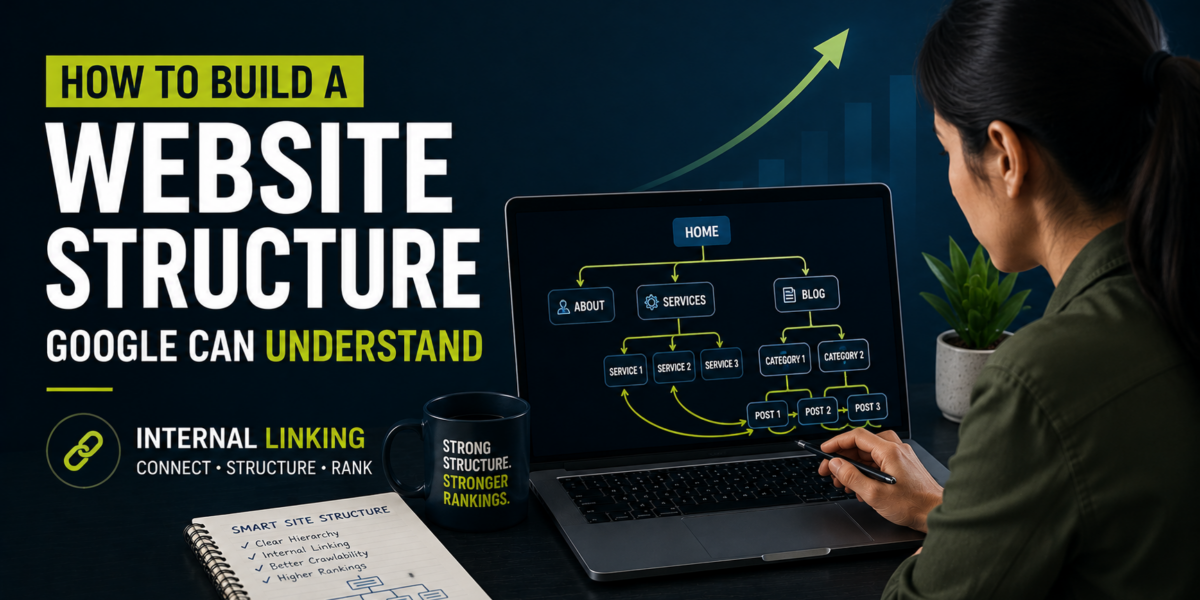
Internal linking becomes far more powerful when it follows a clear structure instead of random, scattered links. The pillar and cluster model is one of the most effective structures for this.
A pillar page covers a broad topic in depth. Cluster pages cover specific subtopics and link back to that pillar page, while the pillar page links out to each cluster. This creates a tightly connected web of pages that reinforces the entire topic.
| Page Type | Example | Internal Linking Role |
|---|---|---|
| Pillar page | Complete guide to SEO strategy | Links out to every related cluster article |
| Cluster page | Keyword research guide | Links back to the pillar and to related clusters |
| Cluster page | Technical SEO basics | Links back to the pillar and related content |
| Cluster page | Local SEO for small business | Links back to the pillar and to relevant service pages |
Building this structure around a resource like a keyword research guide, connected with supporting pages such as a what SEO marketing explainer, creates a network that keeps visitors moving through your site instead of leaving after one page.
Anchor Text Best Practices That Actually Work
Anchor text is the clickable text used in a link, and it matters more than most people assume. Vague anchor text like click here or read more tells search engines nothing about the linked page. Descriptive anchor text tells both visitors and search engines exactly what to expect.
The safest approach is using natural, descriptive phrases that match the topic of the page you are linking to. If you are linking to a guide about ecommerce SEO, use anchor text like ecommerce SEO services rather than something generic. This also avoids the trap of exact match anchor text overuse, which can look manipulative if every single link uses the identical phrase.
A good rule to follow is variation with relevance. Use a few different natural phrasings that all clearly point to the same topic, rather than repeating one exact phrase across every single link on your site.
Internal Linking For Different Website Types
Internal linking priorities shift depending on the type of business and website you are running.
For local businesses, internal linking should connect blog content back to location and service pages, helping both visitors and search engines associate your content with your local relevance. Structuring this properly through a local SEO for small business approach ensures blog traffic actually supports local rankings instead of sitting disconnected from them.
For ecommerce websites, internal linking often connects category pages, product pages, and buying guides. Poor linking here directly affects sales, since visitors who cannot easily find related products simply leave. A focused ecommerce SEO services strategy usually treats internal linking as a core part of product discovery, not just an SEO checkbox.
For content heavy or B2B websites, internal linking supports longer research journeys, connecting early stage informational content to deeper guides and eventually to service pages. A structured content marketing for small business plan works far better when every article is intentionally linked into this larger journey.
Tools That Make Internal Linking Easier
Manually tracking every internal link across a growing website becomes difficult fast, but a few tools can simplify the process significantly.
When you need to quickly create and manage links across multiple articles, a hyper link generator speeds up the process considerably, especially when updating older posts with new internal links.
Keeping your linked pages properly optimized also matters. Using a meta title generator and meta description generator ensures that every page you are linking to is also fully optimized to convert the traffic it receives, rather than just receiving clicks that go nowhere.
If you are auditing content length while restructuring pages for better linking, a simple word counter tool helps make sure your pillar pages remain comprehensive enough to justify the authority they are meant to hold.
Common Internal Linking Mistakes That Quietly Hurt SEO
Several mistakes show up repeatedly across websites, and most of them are easy to fix once you know what to look for.
The first mistake is linking excessively to the homepage while ignoring deeper pages. This wastes valuable internal authority on a page that usually already ranks well, while newer or more specific pages get nothing.
The second mistake is using the same generic anchor text everywhere. This confuses both visitors and search engines about what each linked page actually covers, weakening the topical signals internal linking is supposed to create.
The third mistake is forgetting to update old content. Businesses using proper SEO automation tools can catch these gaps automatically, but even a manual quarterly review of older posts to add links to newer, relevant content makes a noticeable difference in how your site performs over time.
How To Measure If Your Internal Linking Is Working
Internal linking improvements are measurable, though the results usually build gradually rather than overnight.
Track how quickly new pages get indexed after publishing. A well linked page typically gets crawled and indexed faster than an isolated one. Also watch keyword ranking movement for pages that received new internal links, since a noticeable authority boost often shows up within a few weeks.
Engagement metrics matter too. Pages with strong internal linking usually show lower bounce rates and higher pages per session, since visitors have a clear next step instead of a dead end. Reviewing this alongside your broader SEO strategy gives a clearer picture of whether your linking structure is actually contributing to growth.
When To Get Professional Help With Internal Linking
Small websites can often manage internal linking manually with a simple spreadsheet and regular reviews. But once a website grows past a hundred pages, tracking this manually becomes unrealistic, and gaps start forming without anyone noticing.
At that stage, working with an experienced SEO agency or exploring AI SEO services can help audit your entire site structure and fix linking gaps systematically rather than through guesswork. If you are unsure where your website currently stands, you can explore our full range of services to see what level of support fits your current stage of growth.
Frequently Asked Questions
How many internal links should a blog post have
There is no fixed number, but most well structured articles include somewhere between three and eight relevant internal links, depending on the length and depth of the content.
Does internal linking really affect SEO rankings
Yes. Internal linking directly influences crawlability, authority distribution, and topical relevance, all of which are core ranking factors search engines rely on.
What is the difference between internal linking and backlinks
Internal links connect pages within your own website, while backlinks come from other websites linking to you. Both matter, but internal linking is fully within your control.
Should every page on a website be linked internally
Ideally yes. Pages with no internal links pointing to them are much harder for search engines to discover and rank, regardless of content quality.
Can too much internal linking hurt a website
Excessive, unnatural linking that feels forced or spammy can hurt user experience and dilute link value. Relevant, natural linking rarely causes problems.